Make.com is the automation platform that marketing teams switch to after outgrowing Zapier’s pricing. That is not a knock on Zapier. It is a statement about economics: Make gives you 10,000 operations for $9/month where Zapier gives you 750 tasks for $19.99/month. That is roughly 13x more automation capacity for less than half the price.
☰ In this article
We built 22 marketing workflows over four weeks on the Pro plan, covering everything from lead routing and CRM syncing to social media cross-posting, email sequence triggers, and AI content pipelines. We tracked setup time per scenario, reliability across 45,000+ operations, and the actual hours saved compared to doing the same work manually or in Zapier.
The result: Make saved us $281/month compared to running the same workflows in Zapier, while handling more complex automation logic. The visual scenario builder is genuinely powerful once you learn it. But that learning curve is real, and it is the main reason many teams stick with Zapier despite paying more.
Make.com is best for marketing teams and agencies that need complex, high volume automation at a fraction of Zapier’s cost. If you want the simplest possible setup and integration breadth matters more than price, Zapier is still the easier choice. If you want full code-level control, n8n is the open source alternative.
1,000 free ops/month
Visual workflow automation
Visual scenario builder
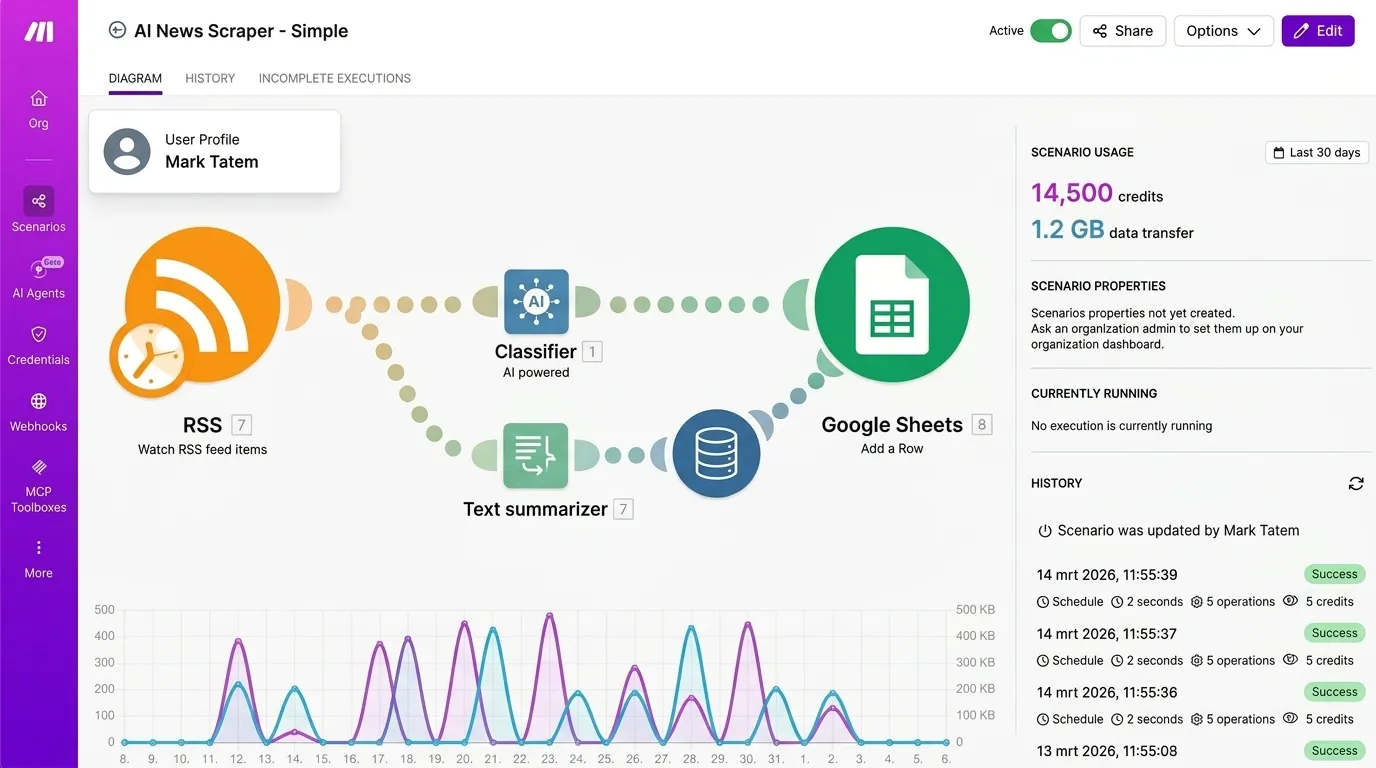
Make’s scenario builder is the core of the platform and the reason power users prefer it over Zapier. Instead of a linear step-by-step flow, Make gives you a visual canvas where you drag modules, connect them with lines, and build branching logic visually. You can see your entire automation at a glance, which matters enormously once workflows get complex.
We built a lead qualification scenario with 12 modules: a webhook trigger captures form submissions, an AI module (Claude API) scores the lead, a router splits qualified vs unqualified leads, qualified leads get added to HubSpot with a Slack notification, and unqualified leads get a nurture email via Brevo. Building this took 35 minutes in Make versus an estimated 60+ minutes in Zapier, largely because the visual branching is so much clearer.
The builder supports routers (split one path into many), iterators (loop through arrays), aggregators (combine multiple items back into one), and error handlers per module. These are features Zapier simply does not offer at any price tier. If your workflows need conditional logic beyond simple “if this then that,” Make is where you need to be.
The visual canvas makes complex workflows comprehensible in a way that linear builders cannot match. Our 12-module lead qualification scenario would have been nearly impossible to maintain in a linear interface.
Integration ecosystem
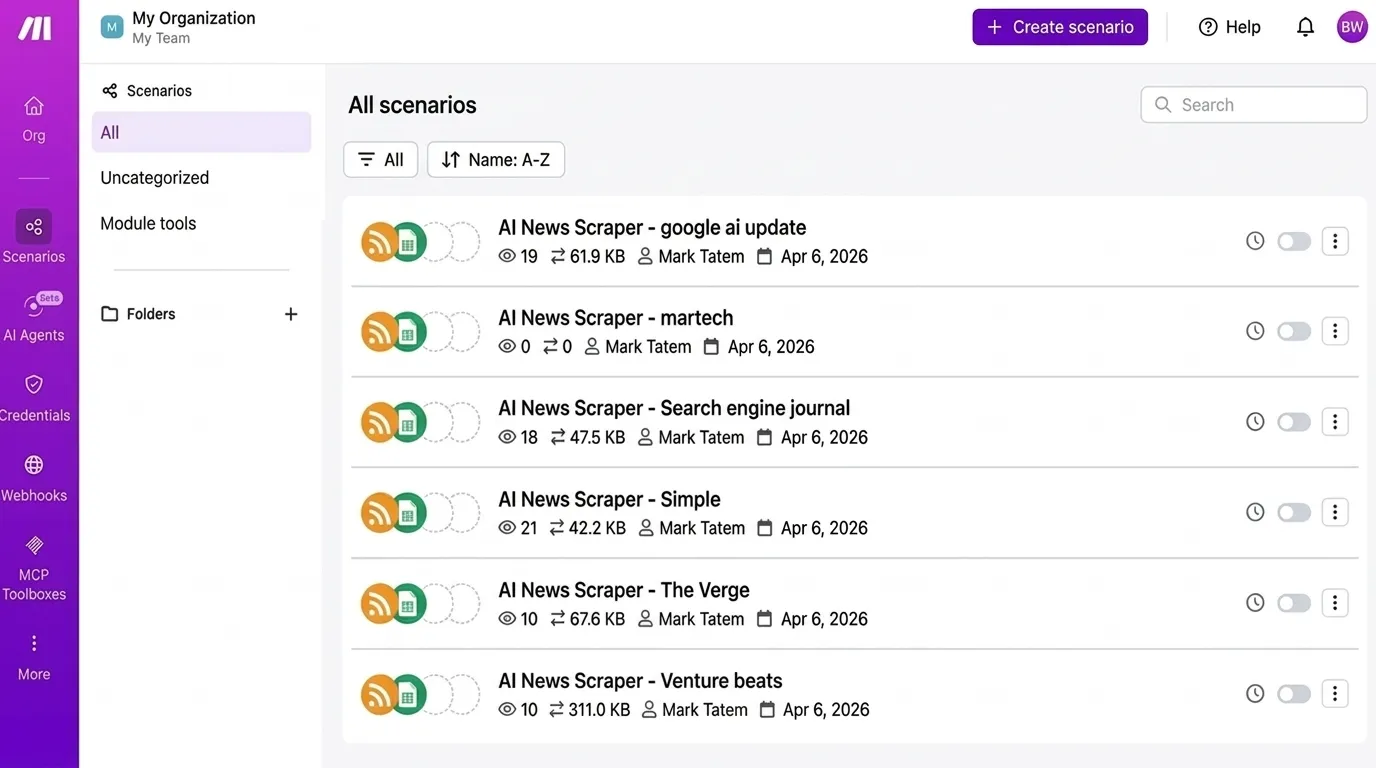
Make connects to 3,000+ apps, which is fewer than Zapier’s 8,000+ but covers every major marketing tool we tested against. HubSpot, Salesforce, Google Sheets, Slack, Mailchimp, Brevo, Airtable, Notion, OpenAI, Anthropic Claude, Google Ads, Meta Ads, LinkedIn, WordPress. Every integration we needed was there.
The quality of integrations varies. Major apps like HubSpot and Google Sheets have deep integrations with dozens of triggers and actions. Smaller niche tools sometimes have limited modules. But Make’s HTTP module is a powerful fallback: connect to any app with an API using custom HTTP requests, no coding required. We used it to connect to three tools that did not have native Make integrations.
Where Make pulls ahead is the depth of each integration. Zapier often limits you to basic triggers and actions. Make exposes more API endpoints per app, giving you finer control over what data flows where. The HubSpot module in Make, for example, has 40+ actions versus Zapier’s 20-something.
AI and advanced features
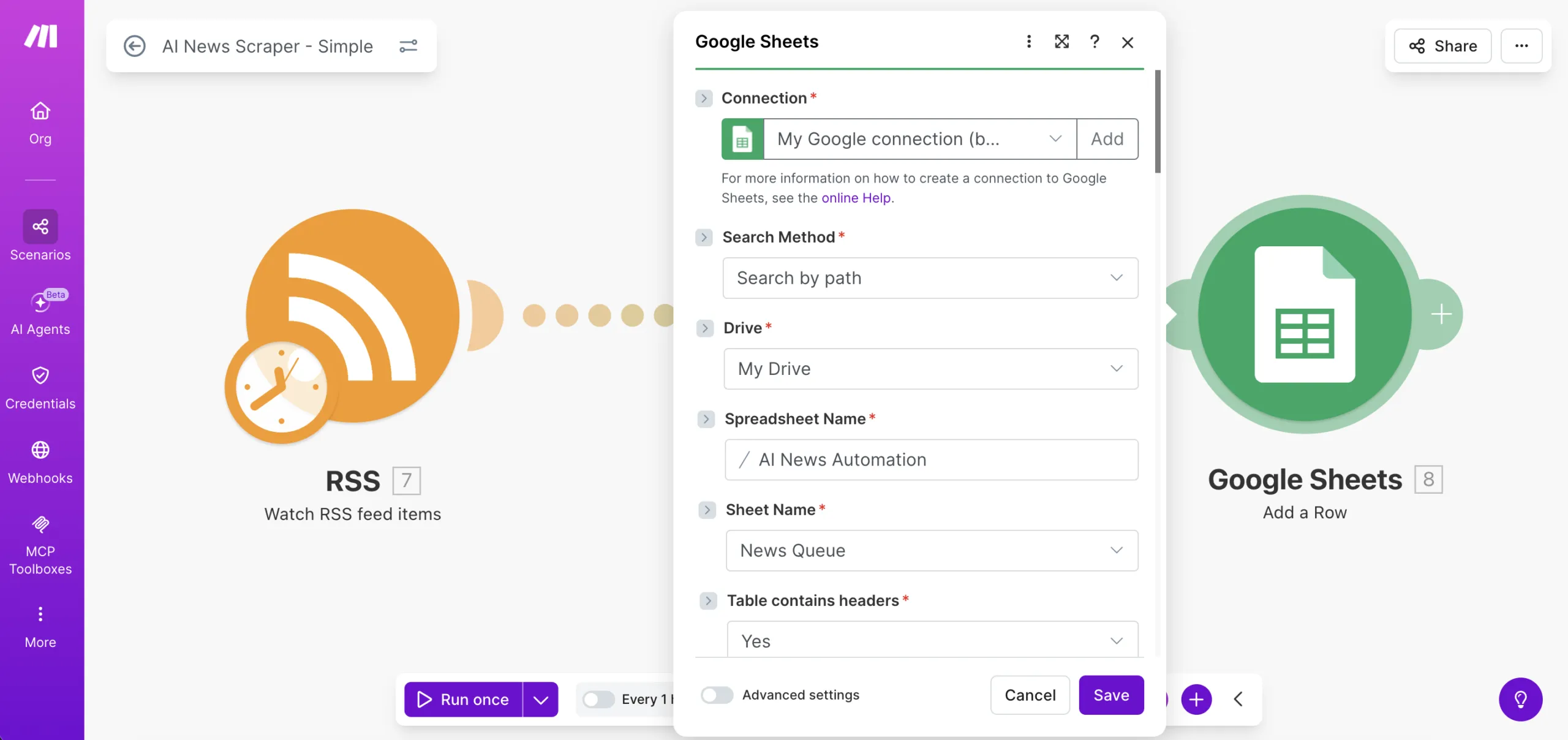
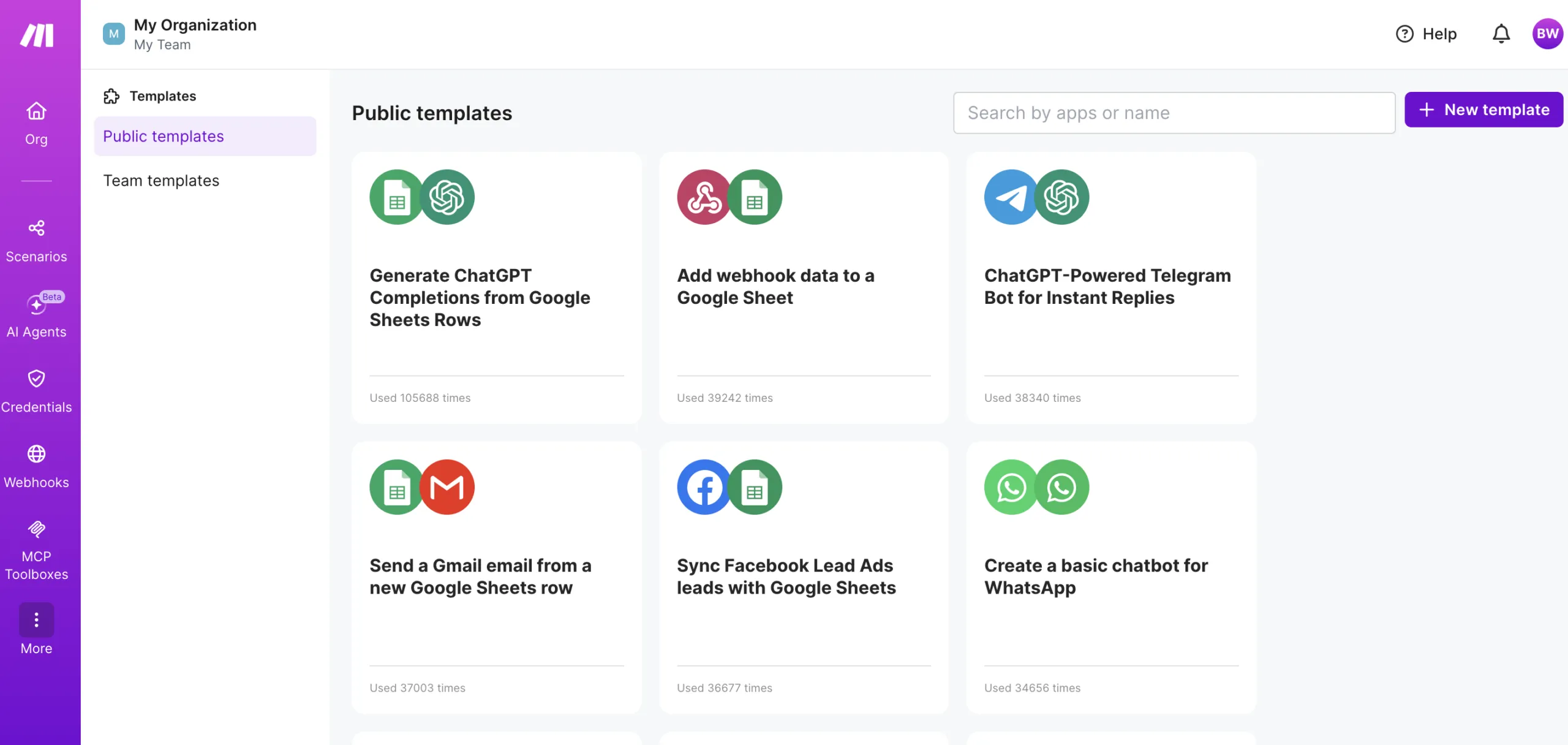
Make has native modules for OpenAI (GPT-4o, DALL-E), Anthropic Claude, Google Gemini, and Stability AI. You can build AI powered marketing workflows without writing code: content generation pipelines, automated research systems, lead scoring with AI analysis, chatbot backends, and image generation for social media.
We built an AI content pipeline that takes a keyword from a Google Sheet, generates an article outline via Claude, drafts each section, runs it through a quality check, and publishes to WordPress. The entire pipeline runs in under 3 minutes and costs roughly $0.15 per article in AI API calls plus Make credits. That same workflow in Zapier would cost 5-8x more in task consumption because every step counts as a separate task.
Make also supports webhooks on all paid plans (Zapier restricts them to Professional+), custom functions for data transformation, and a powerful JSON/XML parsing engine that handles nested API responses elegantly.
Reliability and performance
In four weeks of testing with 22 active scenarios processing approximately 45,000 operations, we experienced 3 failed executions. All three were caused by temporary API rate limits on the receiving app (HubSpot), not Make itself. Make’s automatic retry logic caught and resolved two of the three without intervention.
Scenario execution speed averaged 2-4 seconds per module on the Pro plan with priority execution enabled. Webhooks triggered in under 1 second. Scheduled scenarios ran reliably on 1-minute intervals without missed triggers.
The execution log is detailed and searchable on Pro plans, making debugging straightforward. Every operation shows input data, output data, and processing time. When something fails, you can replay individual executions from the log without rerunning the entire scenario.
Pricing
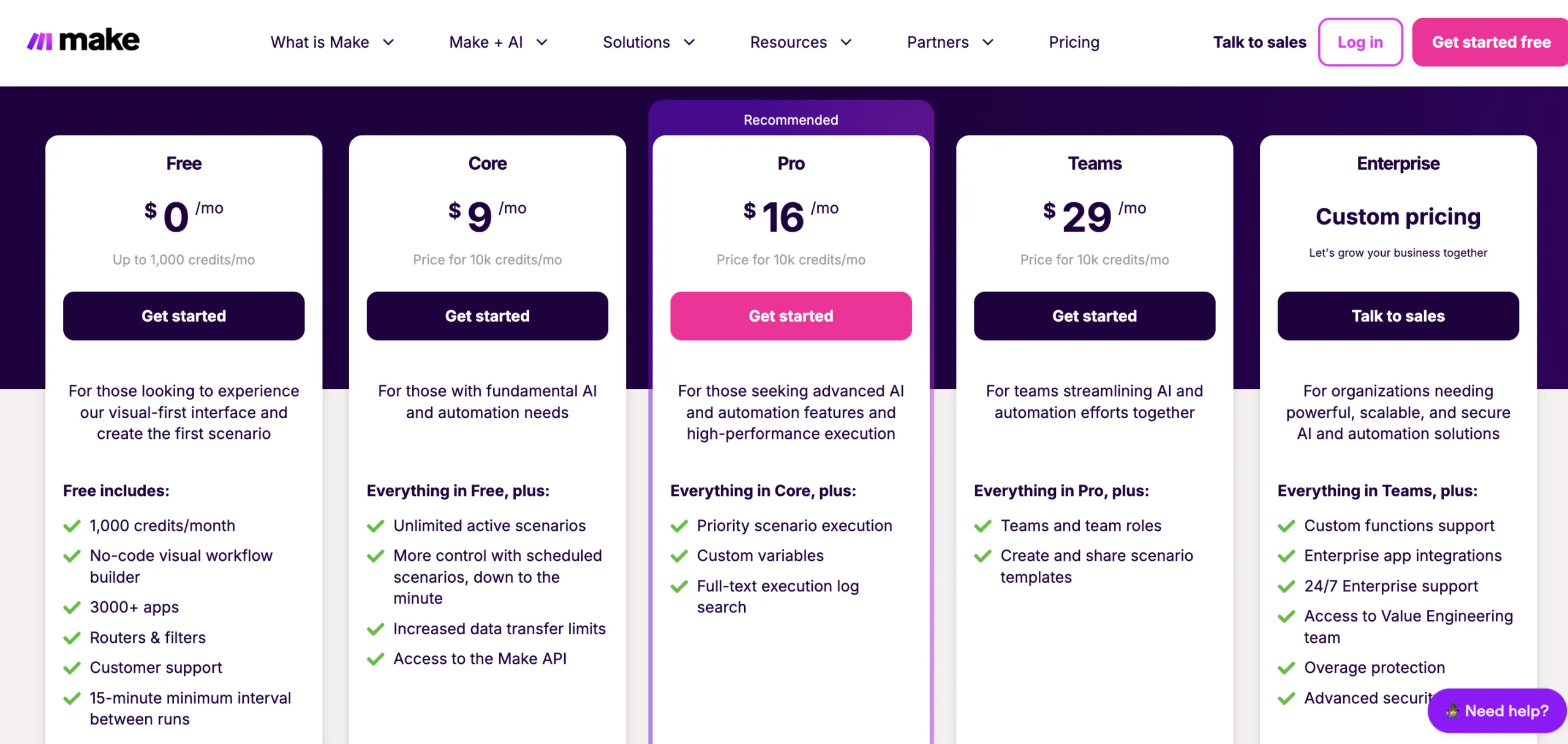
Make switched to a credit-based system in August 2025. The pricing is straightforward once you understand it:
- Free: $0/month, 1,000 credits, 2 active scenarios, 15-minute minimum interval
- Core: $9/month (annual), 10,000 credits, unlimited scenarios, minute-level scheduling
- Pro: $16/month (annual), 10,000 credits, priority execution, full-text log search
- Teams: $29/month (annual), 10,000 credits, team roles, shared templates
- Enterprise: Custom pricing, overage protection, 24/7 support
The critical comparison: Make Core at $9/month gives you 10,000 operations. Zapier Professional at $19.99/month gives you 750 tasks. That is 13x more capacity for less than half the price. Even accounting for Make’s slightly higher per-operation cost on complex scenarios, the math overwhelmingly favors Make for high-volume automation.
Failed operations and testing do not consume credits. Only successful data transfers count. Filters, routers, and data transformations also run free. This makes Make significantly cheaper per real workflow compared to platforms that charge for every step including logic.
- 13x more operations than Zapier at less than half the price
- Visual scenario builder makes complex branching workflows intuitive
- Native AI modules for OpenAI, Claude, Gemini out of the box
- Routers, iterators, and error handlers that Zapier cannot match
- Testing and failed operations do not consume credits
- Free plan is genuinely useful (1,000 ops/month, not a teaser)
- Learning curve is real: 2-3 hours before you feel comfortable building multi-step scenarios
- 3,000 integrations vs Zapier’s 8,000+. Most major tools are covered but niche apps may be missing
- Documentation could be more beginner-friendly with more real-world examples
- Customer support response times are slower than Zapier on lower tiers
- Credit system can be confusing for new users coming from Zapier’s simpler task-based model
Bottom line: Make.com is the best value automation platform for marketing teams in 2026. If you are spending more than $20/month on Zapier and running into task limits, switching to Make will save you money and give you more powerful workflow capabilities. The learning curve is the only real trade-off, and most teams get comfortable within a week. For teams that want maximum simplicity over cost savings, Zapier remains the easier choice.
Keep reading
Zapier review 2026: we tested 15 workflows over 4 weeks
Zapier vs Make vs n8n: best workflow automation platform 2026
Best AI workflow automation tools 2026
Browse all AI marketing tool reviews